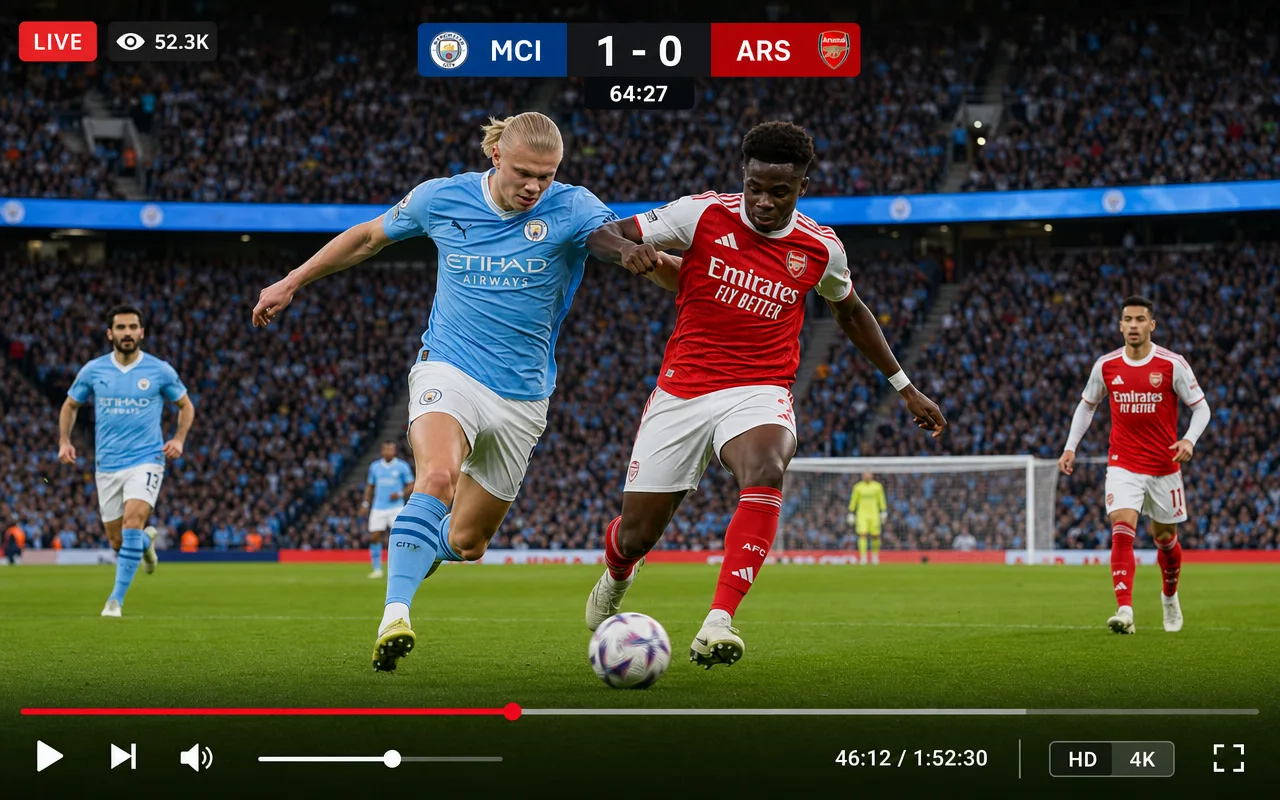
LIVE STREAMING

Live streaming that goes out like a broadcast, not like a video call.

Feed your channel from any encoder over RTMP or SRT, keep broadcast graphics on screen, and let automatic fallback cover you when the venue feed drops. Delivery rides an unlimited CDN in 330+ cities.

A live stream in the LIVEPLUSTV console with encoder input and on-screen graphics
Step by step

From encoder to audience

Everything between your camera and your viewers is handled in the cloud. Your side of the job is one encoder configuration.

  1. Point your encoder at the channel

    Copy the ingest details into OBS, vMix, a hardware encoder, or a mobile app. RTMP and SRT are both supported, in whichever connection role your gear expects.

  2. The live slot takes air

    Live inputs sit in the schedule grid like any other content. When the slot arrives, the channel switches to your feed with graphics and ad cues intact.

  3. Fallback covers the gaps

    If the feed drops mid-show, playout falls back to your slate or schedule and rejoins the live input when it comes back. The channel stays up the whole time.

  4. Delivered at every quality

    The stream is encoded to an adaptive ladder and served from 330+ CDN cities with unlimited bandwidth, so a big night costs the same as a quiet one.

What’s in the box

Live infrastructure, minus the truck.

Ingest, resilience, graphics, and worldwide delivery, run as one system per channel.

Ingest

RTMP, SRT & RIST

Push from any encoder, or have the channel listen for an inbound connection. Higher plans take multiple live inputs per channel, so the studio feed and the venue feed can both stand ready.

Resilience

Fallback that just works

A dropped feed falls back to your schedule or slate and recovers on its own. The channel never shows a black screen because a cable at the venue did.

Graphics

Live broadcast graphics

Trigger lower thirds, tickers, and overlays from the control room while you are live. It is the same graphics system your scheduled programming uses, so the channel look never changes.

Delivery

Global, unlimited CDN

Adaptive streaming from 330+ edge cities, with bandwidth that is never metered. Every viewer gets the rendition their connection can carry.

Multistream

Everywhere at once

Send the same live feed to social platforms simultaneously while your channel keeps its own player, guide, and ad breaks. A true 9:16 rendition renders alongside the broadcast on higher plans, guests join the same live feed from a browser link, and viewer phone-ins are arriving shortly.

Live + linear

One grid for both

Live events drop into the same schedule as your library content. Go live for the show, hand back to the playlist after, no separate product to manage.

Explainer

RTMP or SRT: picking an ingest protocol

RTMP is the default for a reason. Every encoder made in the last fifteen years speaks it, from OBS on a laptop to rack units in a studio, and on a stable connection it will carry a feed all day. Its weakness is the open internet: a lossy path shows up on screen as smearing and stalls, and the protocol has no way to fight back.

SRT was built for exactly that path. It retransmits lost packets inside a latency window you control, so a feed sent from a venue on shared wifi or a bonded cellular link arrives clean, and the stream is encrypted in transit. If your contribution leaves a network you control, use SRT.

Push and listener modes

Every SRT link has a caller and a listener, and gear can be opinionated about which role it plays. Many platforms only accept one arrangement. A LIVEPLUSTV channel can take either side: push to us the ordinary way, or have the channel listen so your equipment dials in, or have it call out to a source that waits. RIST contribution is supported as well, for feeds coming from broadcast-side gear that prefers it.

PUSH · YOUR GEAR CALLS IN YOUR ENCODER caller CHANNEL listener SRT stream LISTENER · THE CHANNEL CALLS OUT YOUR SOURCE listener CHANNEL caller connects out SRT stream
Either side of the SRT link · your gear picks its role
One channel

Live and linear are the same channel here

Most streaming stacks treat live as a separate product from the 24/7 channel, with its own links and its own player. Here a live input is just another slot in the grid. Go live for the event, hand back to the schedule when it ends, and keep your graphics, your guide, and your SCTE-35 ad breaks through the whole arc. Simulcasting to social platforms, including the vertical 9:16 output, is covered in multistreaming, and guest panels join the same feed from a browser link. A few shapes this takes in practice:

Sport

The match comes in live over SRT from the venue, cues in the feed drive ad breaks during stoppages, and the replay is scheduled for the overnight. Highlights and studio shows fill the days between fixtures.

News

Bulletins run on a loop that gets refreshed through the day, the channel cuts to live when a story breaks, and a ticker carries headlines over everything. Building the full cycle is covered in how to start a news channel.

Faith and community

The service streams live from the venue on Sunday while teachings and archive fill the week. If the hall connection drops mid-service, the channel falls back to slate instead of going dark. Ministries, mosques, mandirs, and gurdwaras get a full page of their own at faith broadcasting, and the same engine runs the channel around the clock as a FAST or linear service.

EVERY PLAN INCLUDES
Questions

Live streaming, answered.

How do I send you my live feed?

Point your encoder at the channel’s RTMP or SRT ingest. The channel can take either side of an SRT link: listen for your encoder to call in, or call out to a source that listens. Studio encoders, OB gear, and mobile apps all connect the same way, and RIST contribution is supported too.

What encoders and apps can I use?

Anything that speaks RTMP or SRT, which covers nearly everything: OBS, vMix, hardware encoders from the usual broadcast vendors, and mobile encoder apps. If it can push a stream to a URL, it can feed your channel.

What happens if my live feed drops?

The channel falls back to your schedule or slate automatically, then rejoins the live feed when it returns. Viewers see a clean transition rather than a black screen, and the channel keeps its graphics and guide throughout.

Can I mix live and scheduled content?

Yes, and this is the core of the product. A live input is a slot in the same weekly grid as your library content. Go live for the match or the evening show, hand back to the schedule when it ends.

How many viewers can watch?

Delivery rides a global CDN with unlimited bandwidth on every plan, served from 330+ cities worldwide. Plans set concurrent-viewer tiers, but delivery itself is never metered, so a spike in the audience never shows up on your bill.

Can I stream to social platforms at the same time?

Yes. Multistream the same feed to social destinations simultaneously, with a vertical 9:16 output for TikTok, Reels and Shorts on higher plans, while your own channel keeps broadcasting with its player, guide, graphics, and ad breaks. Multistreaming is included, so one feed reaches every platform without a second production.

Can I schedule a live event ahead of time?

Yes. A live slot goes into the weekly grid like any other item, so Friday’s match or Sunday’s service can sit in the schedule days in advance. When the slot arrives, the channel switches to your ingest; until then, the schedule plays as normal.

What should my encoder send?

The cleanest single feed you can manage, typically 1080p at a steady bitrate. The engine re-encodes your contribution into the full adaptive ladder, so you never need to push multiple qualities from the venue.

GET STARTED

Your channel can be live today.

No contract and cancel anytime, with a 7-day money-back guarantee on your first purchase.